Color consistency is a commercial control, not only a design preference. A retail buyer may be managing several bottle capacities, lid combinations, body colors, logo versions and package labels at the same time. If the first order is approved from a screen image but the reorder is quoted from a different sample or color reference, the range can drift while every carton still appears to be the same product family. This guide shows how to create a variant record, approve physical color references and keep later wholesale reorders tied to the same evidence.
- Create one register row for every sellable colour and capacity variant.
- Record model, true ml capacity and any approximate oz size-class wording separately.
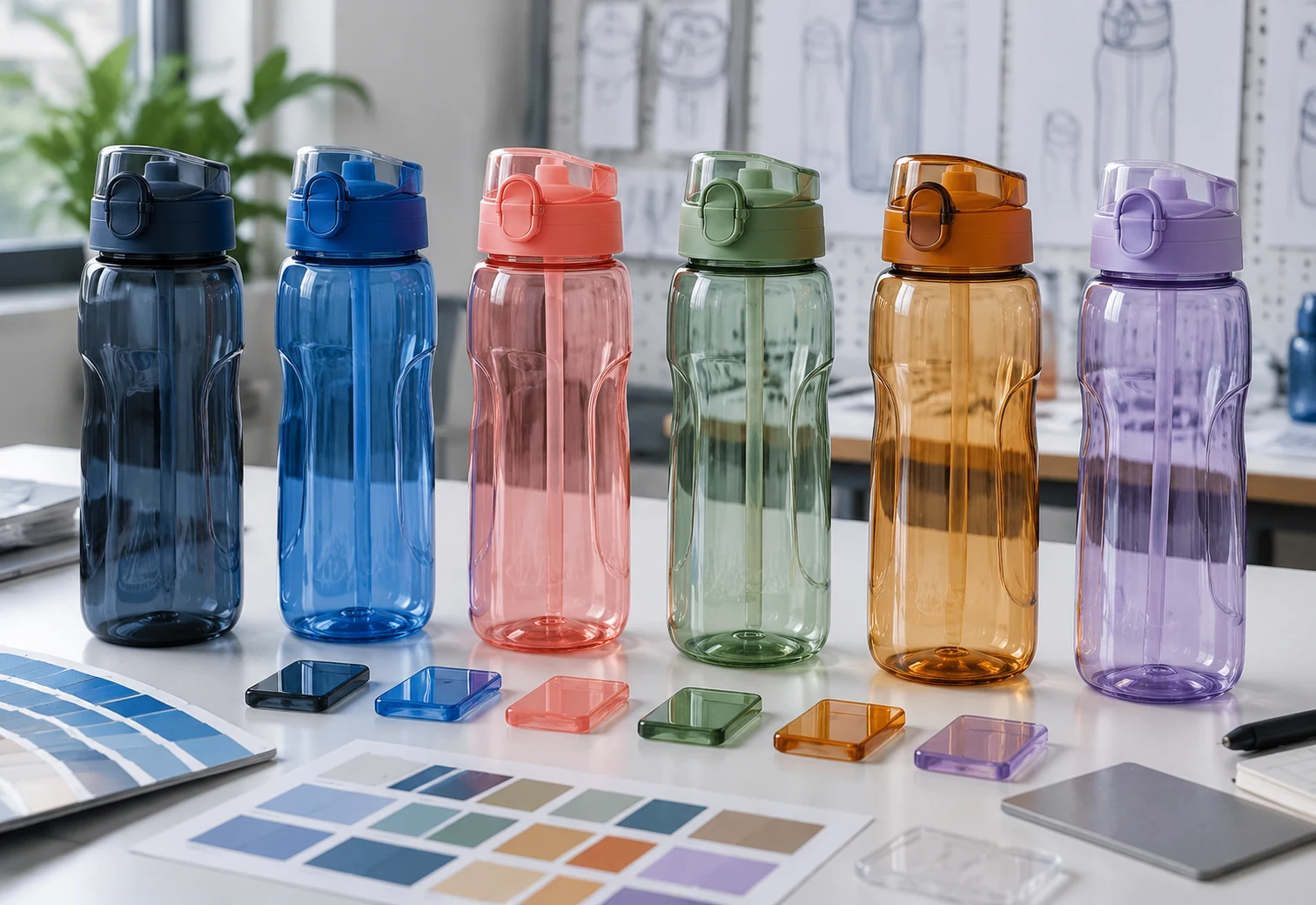
- Use a physical colour chip or sample instead of relying on a screen preview.
1. Build a variant register before asking for the reorder price
Start with one row for every sellable variant rather than one row for the product family. Record the supplier model, listed capacity, the approximate oz size class used in marketing, body colour, lid colour, seal or straw colour, decoration version, package language, internal item code and the intended sales channel. Keep the exact factory or catalogue facts separate from the buyer's own retail naming. A family photograph is useful for discussion but cannot replace a variant register because it rarely shows every component combination. If a retailer sells the same bottle in two capacities or several colours, the reorder file should make it impossible to confuse a body colour with a lid colour or a stock reference with a custom option. This register becomes the bridge between the quotation, sample approval, packaging file, warehouse label and product page.
2. Use a physical colour reference, not a screen colour alone
Screen previews and digital artwork are useful for early discussion, but a production decision needs a defined reference and a physical sample. Record the colour system or chip used, the component to which it applies, the finish or transparency expected and the lighting or viewing note used for approval. If the buyer wants a custom plastic colour, state that it is an option to confirm for the chosen resin, moulded part and production method; do not assume that a colour on one material will look identical on another. Approve the body and lid separately when they are made from different components. Keep a dated reference sample or colour chip with the variant record, and write down whether a small shade difference is acceptable or requires a new decision. A colour name such as sky blue is not precise enough for a repeat order. Use the listed size of Model 2400 · 380 ml / 12 oz class as a catalogue fact; record colour and variant choices separately.
3. Separate body, lid and decoration changes in the approval file
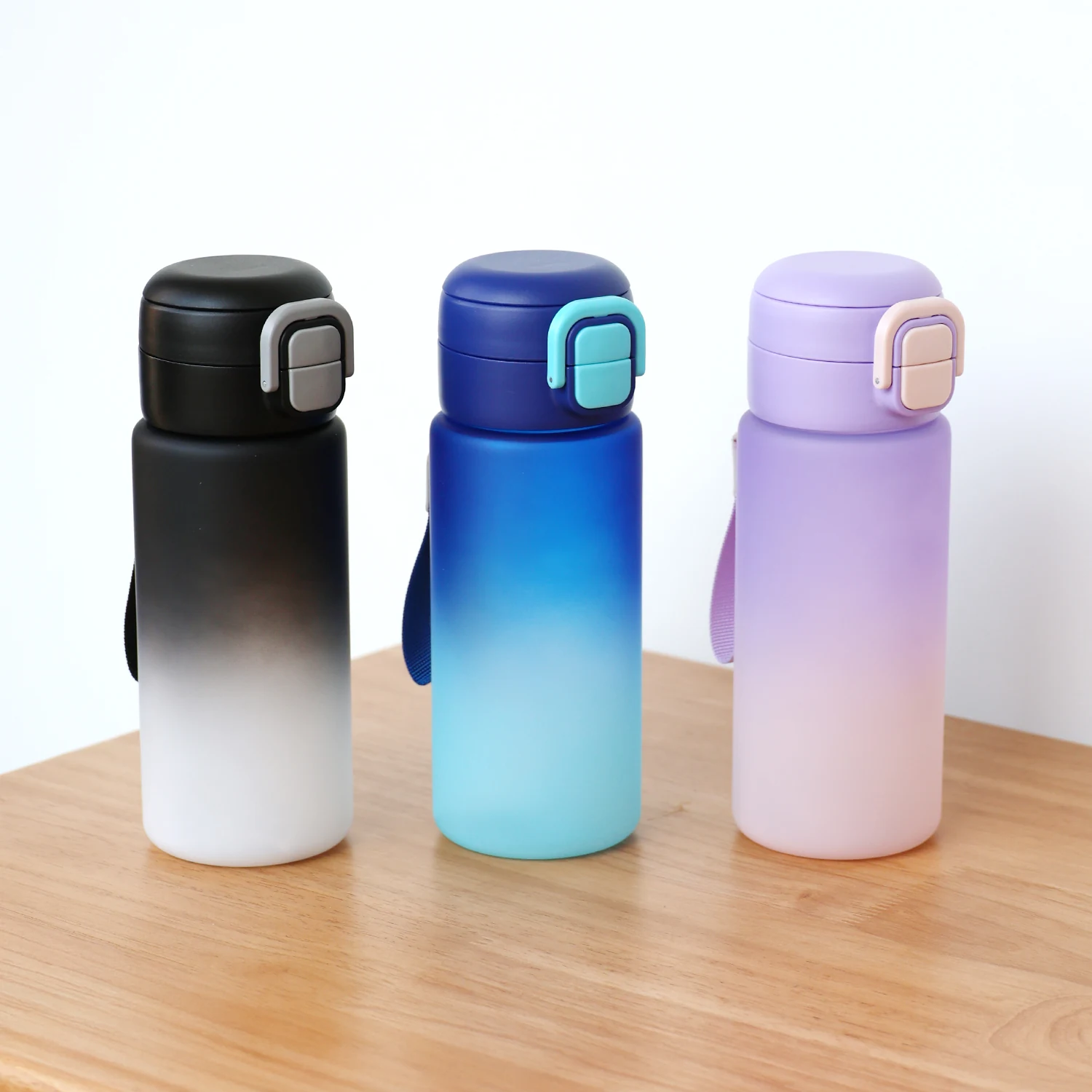
A bottle can look like a new colourway even when only the lid, print, gradient, strap or label changed. In the variant record, describe each visible component and keep its approval status separate. Show the bottle assembled and, where useful, show the parts apart so a buyer can identify which colour belongs to which component. Record the artwork revision, print position, number of colours and the surface that was approved. If a supplier proposes a different lid or decoration process, treat it as a change to the sellable variant until the buyer confirms the result. This avoids a common shortcut in which the body sample is approved but the lid, logo and package are assumed to follow automatically. The more parts a retail range has, the more valuable a simple component-by-component approval becomes.
4. Approve the physical decorated sample at the real display scale
The colour and logo should be reviewed on the actual assembled bottle, not only on a flat artwork proof. Check the visual relationship between body, lid, seal, handle and printed mark; look for the effect of transparency, texture, curvature, moulded ribs and nearby colours. If the bottle will be sold in a shelf-ready box or online image set, compare the packaged item and the product photography direction as well. Record the sample identifier, approval date, reviewer, light or viewing conditions and any open issue. A sample can be suitable for discussion but not yet ready for mass production if the colour, artwork or package is still marked pending. This record also prevents a later colleague from approving a second sample simply because it looks similar in a different room or under a different light source. Compare the body and lid colours on Model 2401 · 650 ml / 22 oz class with the approved physical reference, not a screen image.
5. Keep variant identity aligned with packaging and product data
A retail range needs a stable relationship between the physical variant and the data used by packaging, warehousing, ecommerce and customer service. Confirm which party owns the product identifier, then keep the internal item code, colour name, capacity, image, package language and carton label synchronized. Do not create a new identifier merely because a supplier has sent a new photograph, and do not reuse an old identifier if the buyer has decided that the sellable configuration is materially different. For a multi-colour or multi-capacity order, every line should show its quantity and packing basis. This is where a procurement spreadsheet or CMS field becomes useful: it gives the team one place to see the approved physical record and the public-facing description without turning a marketing colour name into an unverified material or performance claim.
6. Make the reorder comparison a controlled release step
Before placing the reorder, compare the new quote and sample against the last approved variant record line by line. Ask the supplier to confirm the model, listed capacity, component colours, decoration, package, quantity split and any proposed change. If the supplier uses a different colour chip, resin, lid, mould, print process or packing item, stop the automatic reorder and request a new comparison. Keep the old approved reference visible while reviewing the new one; reviewing only the new sample makes drift difficult to see. Record whether the buyer accepted the new result, accepted it with a defined tolerance or rejected it. A reorder control does not require the buyer to promise perfect colour identity under every condition. It requires the buyer to define what was compared, what variation is acceptable and who owns the decision. Keep the variant record for Model 2470 · 800 ml / 28 oz class connected to its label, package and reorder sample.
7. Use evidence that supports the retail claim and future customer questions
The final variant file should contain the approved sample or chip reference, component and colour map, artwork proof, product identifier owner, package version, order and lot information, inspection notes and any destination-market documents requested for the finished assembly. Keep a clear note that catalogue capacities are source facts while the oz expression may be a size class used for overseas marketing, not a precise volume conversion. If a customer asks why two batches look slightly different, the team can explain which reference, component and viewing condition were used instead of guessing. When a new colour or capacity is introduced, open a new variant record and select related products deliberately. This keeps the retail assortment understandable, protects the buyer from silent substitutions and gives the next purchasing team a factual starting point.
Colour and variant control benefits from a physical reference, a clear item identity and a record of which component was approved
Colour and variant control benefits from a physical reference, a clear item identity and a record of which component was approved. GS1 explains that products with different sizes or colours may need separate identifiers under the brand owner's rules; Pantone provides plastic standards for communicating colour, but neither source certifies a finished XUYI product.
Practical next step: Choose the reference system, approve the actual assembled variant and keep colour, packaging and identifier decisions in the same reorder record.
Primary references
- Pantone: Plastic Standard Chips ↗
- GS1: GTINs for products with many sizes and colours ↗
- Pantone: plastics standards explained ↗
External regulations and standards are independent references, not product certification or proof of testing by XUYI. Confirm applicability and the latest rules for the exact product, destination and transaction date.
Retail variant worksheet: keep colour and identity aligned
Use one controlled record for the physical sample, component colours and the data printed or published for the sellable variant.
| Variant control | Record | Release question |
|---|---|---|
| Identity | Model, ml capacity, internal code and channel | Is this one sellable variant? |
| Colour map | Body, lid, seal, straw, print and package | Which component uses the reference? |
| Sample | Chip, physical sample, date and viewing note | Was the assembled item approved? |
| Data | Image, colour name, label and carton mark | Do systems describe the same item? |
| Reorder | Old and new references, change and tolerance | What changed since last order? |
| Ownership | Identifier owner and decision reviewer | Who releases the variant? |
Buyer decision criteria, not XUYI certification, published MOQ or guaranteed delivery times. Verify the exact model and market requirements.
Buyer checklist
Use these points when comparing a factory sample, artwork approval and purchase quotation.
- Create one register row for every sellable colour and capacity variant.
- Record model, true ml capacity and any approximate oz size-class wording separately.
- Use a physical colour chip or sample instead of relying on a screen preview.
- Map body, lid, seal, straw, strap, print and package colours separately.
- Tie artwork, colour references and carton labels to the same variant revision.
- Confirm the owner of internal item codes or product identifiers before printing.
- Compare every reorder line with the last approved sample and record differences.
- Stop for a new sample when material, mould, lid, chip, print or packing changes.
- Define acceptable variation and the person who makes the release decision.
- Keep the approved variant file for purchasing, warehouse, ecommerce and service teams.
Frequently asked questions
Can a screen colour be used to approve a custom plastic bottle?
Use it for early discussion, but approve the selected component with a physical colour reference or sample. Material, transparency, finish and lighting can change the result.
Should body and lid colours be approved separately?
Yes. Record each component and review the assembled bottle as well, because the two parts may use different materials, finishes or production conditions.
Does a different bottle colour always need a new product identifier?
Not automatically. Confirm the brand or retailer's identifier rules and decide whether the sellable configuration is the same or a new variant before packaging is printed.
How should a buyer compare a colour reorder?
Place the old approved reference beside the new sample and compare model, capacity, components, colour reference, decoration, packaging, quantity split and any proposed change.
Need a quote for a specific model?
Send the intended model, material requirements, expected order quantity, artwork and destination market. We will review the options for that exact product rather than assume one specification fits every bottle.
Request a Plastic Bottle Quote →Related Buying Guides
 Custom Water Bottle Color Matching: Pantone, Samples and Production Control
Specify custom bottle colors more consistently with plastic color references, separate body and cap targets, physical samples, lighting and written tolerances.
 Can You Mix Water Bottle Colors, Sizes and Logos in One Wholesale Order?
How B2B importers plan mixed-SKU plastic water bottle orders: MOQ per model/color, separate logo setups, carton labels, packing lists and supplier quote questions.
 How Can a Retail Buyer Build a Reusable Water Bottle Assortment for a First Wholesale Order?
A practical wholesale assortment plan for specialty retailers: match bottle size classes, colors, SKU data and reorder rules to real shelf demand.